Moving to Payment Buttons
If your donation mailings use buttons you built by hand, the payment_button and payment_button_group tags can replace all of it. They build buttons for ActBlue and NGP VAN Payments pages. This tutorial walks you through moving your mailings to the new system, getting your buttons’ look into your email wrapper once, then swapping the hand-built HTML in your mailings for a single tag.
Why switch
One tag instead of a block of HTML per amount. A whole ask ladder is one line in your mailing.
Your look lives in one place. Colors, fonts, and corners are set once on your email wrapper. Change them there and every mailing using that wrapper follows.
Links are built for you. Each button gets a tracked link with the amount, your source or refcode, and express lane or one-click already in place, and the plain text version of your mailing gets a matching
label: URLline for every button.The express lane disclaimer comes built in. We’ll include a customizable express-lane/one-click disclaimer automatically for button groups that use those features.
Before and after
Here’s a typical hand-built ask ladder: a disclaimer line, then one copy of the same table for each amount.
<p style="margin: 0 0 7px; text-align: center; font-size: 14px; color: #555555; font-style: italic">
  If you've saved your payment information with ActBlue, your donation will go through immediately:
</p>
<table role="presentation" width="100%"><tr><td align="center" style="font-size: 0">
  <table role="presentation" border="0" cellpadding="0" cellspacing="0"
         style="display: inline-table; margin: 7px 1%; max-width: 47%; min-width: 280px; width: 100%">
    <tr><td align="center" bgcolor="#1f3a93" style="background-color: #1f3a93; border-radius: 6px">
      <a href="https://secure.actblue.com/donate/campaign-form?amount=25&express_lane=true&refcode=em20260714"
         style="display: block; padding: 14px 5px 13px; color: #ffffff; text-decoration: none;
                font-family: Georgia, 'Times New Roman', serif; font-size: 18px; font-weight: bold;
                text-transform: uppercase; letter-spacing: 1px">Donate $25</a>
    </td></tr>
  </table>
  <!-- ...and the same table again for $50, $100, and $250 -->
</td></tr></table>
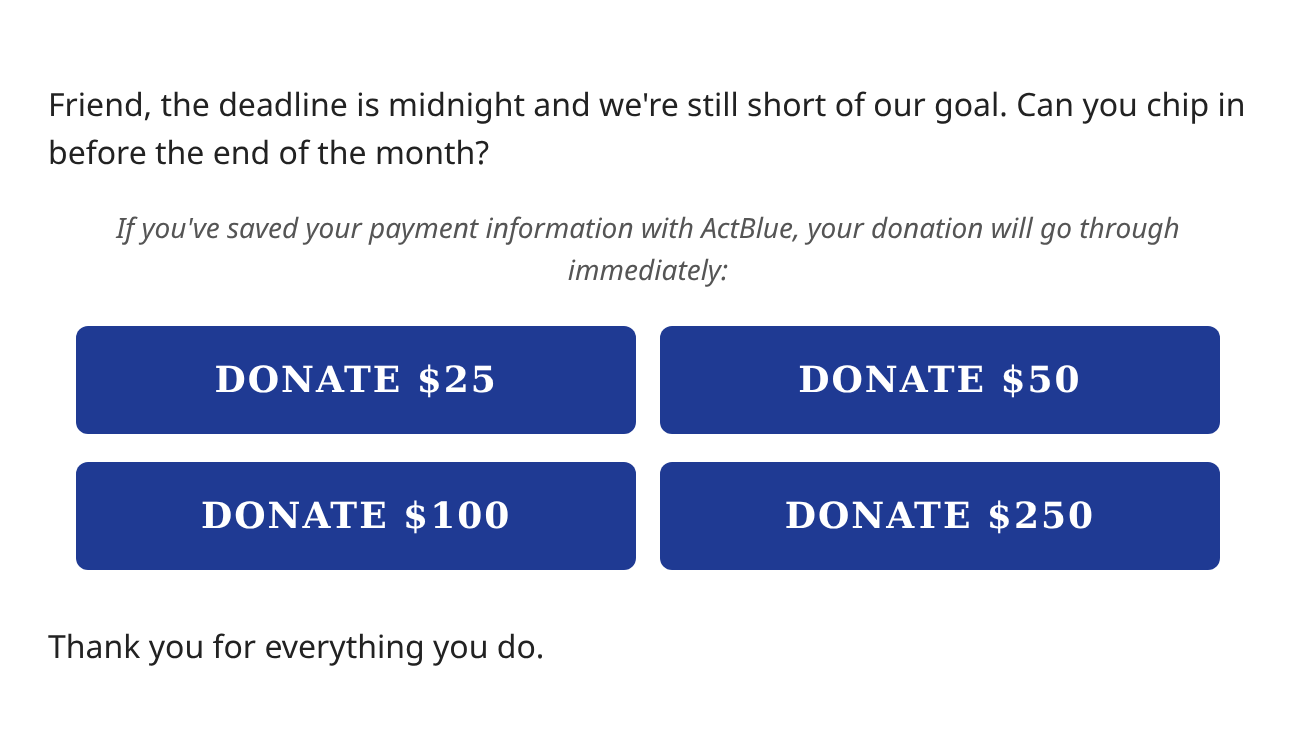
With the button styles set on your wrapper (see below), the entire ladder is just tag:
{% payment_button_group ab_page="campaign-form" express_lane=1 source="em20260714"
   amounts="25,50,100,250" %}
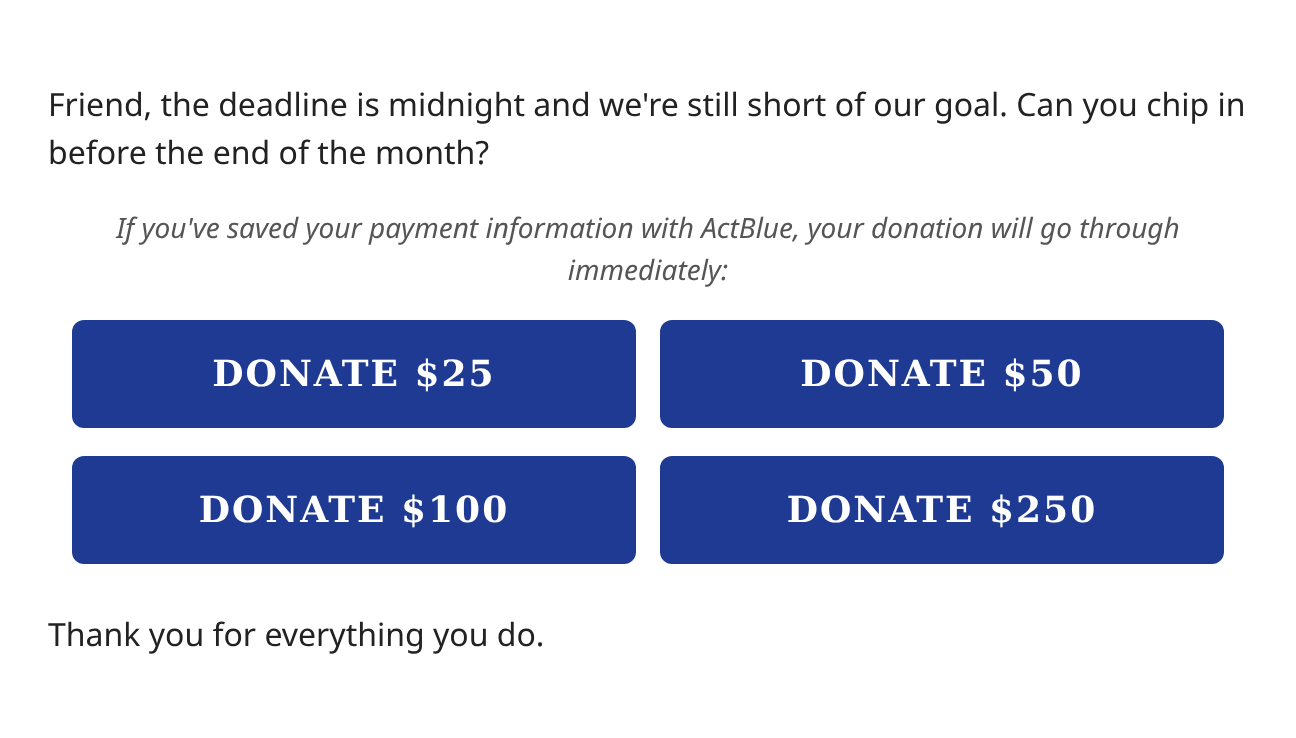
Screenshots on this page show the buttons as a browser-based email client draws them. Desktop clients like Outlook differ in small ways, so be sure to review proofs to make sure it looks right in your wrapper.
Step 1: Put your look on your wrapper
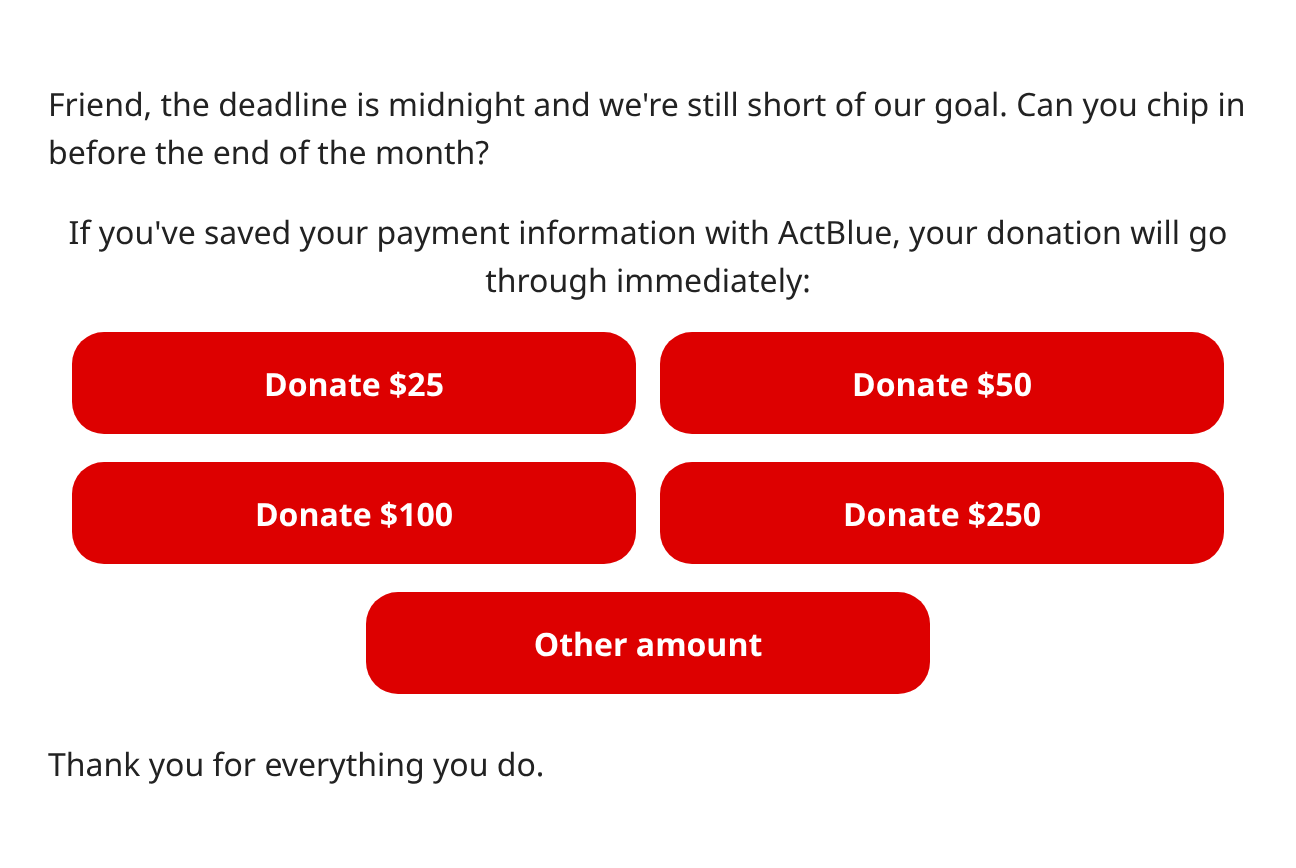
Every payment button reads its defaults from custom fields on the mailing’s email wrapper. Open the wrapper your fundraising mailings use, and find Custom Email Wrapper Fields near the bottom of its edit screen. Choose a field from the Add menu, click the plus button, and type its value into the box that appears. The menu lists fields by their display names, so ak_payment_button_container_style appears as Payment Button Container Style, and so on. Without any of these fields, buttons use ActionKit’s defaults, a red rounded button:
To match your hand-built buttons, sort the CSS from them into these fields:
Wrapper field |
Take these properties from your old button |
|---|---|
|
|
|
|
|
Whatever was on your disclaimer’s |
|
Usually nothing. Set |
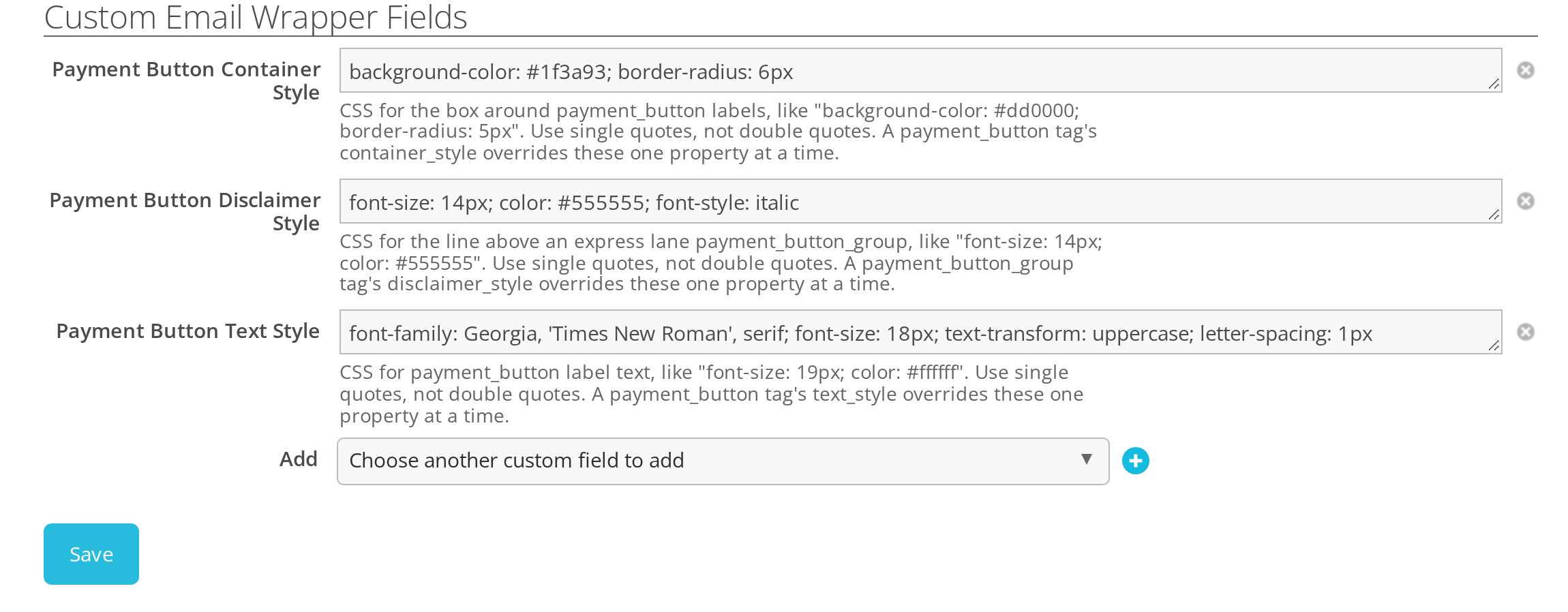
For the buttons above, that’s:
ak_payment_button_container_style
    background-color: #1f3a93; border-radius: 6px

ak_payment_button_text_style
    font-family: Georgia, 'Times New Roman', serif; font-size: 18px;
    text-transform: uppercase; letter-spacing: 1px

ak_payment_button_disclaimer_style
    font-size: 14px; color: #555555; font-style: italic
On the wrapper’s edit screen, that looks like this:
A few things to know while you sort:
Leave out what the defaults already do. You only need the properties that differ from ActionKit’s defaults. In the example, the white bold label, the
padding,display: block, andtext-decoration: noneare defaults, so they stay out of the fields. Each field merges into the defaults one property at a time; see payment_button for the full list.Leave out the grid geometry.
margin,width,max-width, andmin-widthwere what made your buttons sit two to a row.payment_button_groupworks those out from itscolsargument, and they would fight it.Write
background-color, notbackground. ActionKit copies the color onto the table cell so Outlook shows it too, and it can only do that with the longhand.Use single quotes inside the CSS, as in
'Times New Roman'. Double quotes are rejected.Padding goes on the label, not the box, so the whole button is clickable rather than only the words.
The wrapper checks these fields when you save it, so a typo shows up on the wrapper rather than in a mailing later.
Recipes
Some common looks, with the fields that make them:
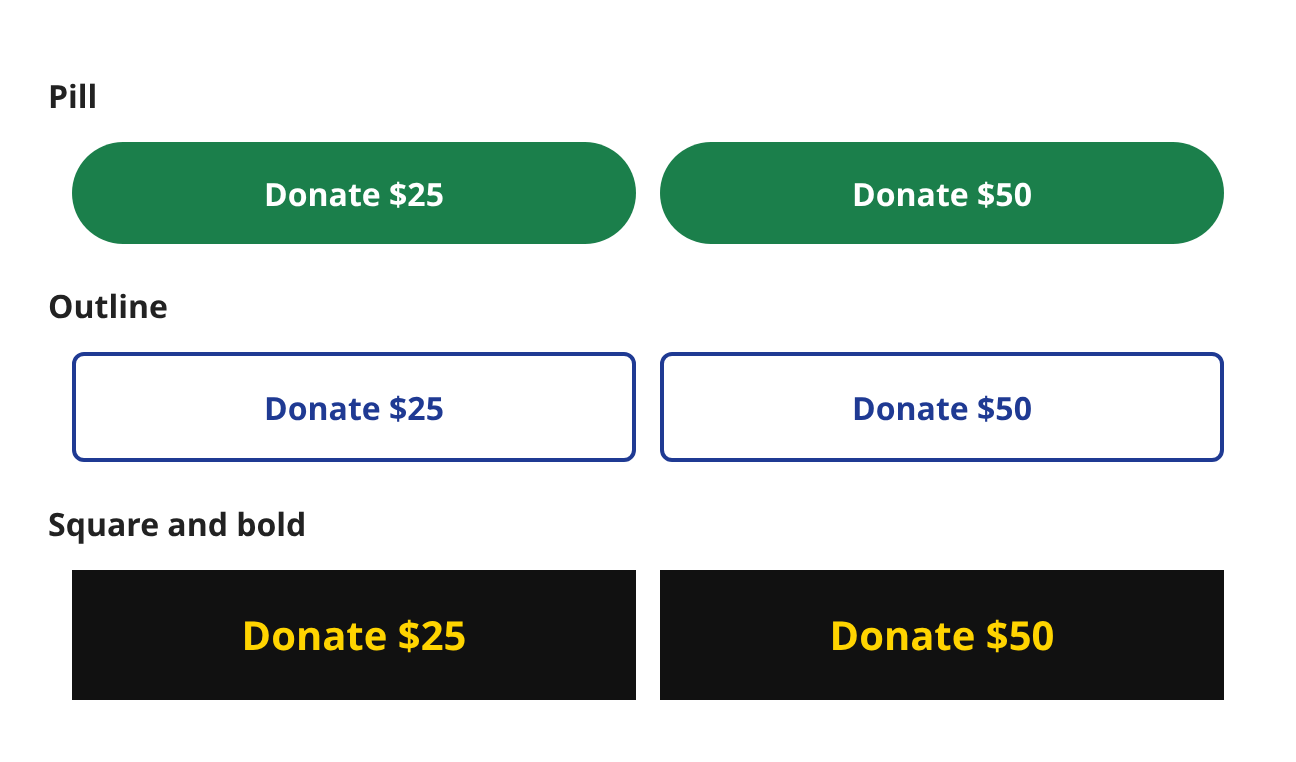
Pill
  ak_payment_button_container_style
      background-color: #1b7f4b; border-radius: 30px

Outline
  ak_payment_button_container_style
      background-color: #ffffff; border: 2px solid #1f3a93; border-radius: 6px
  ak_payment_button_text_style
      color: #1f3a93

Square and bold
  ak_payment_button_container_style
      background-color: #111111; border-radius: 0
  ak_payment_button_text_style
      font-size: 20px; font-weight: 800; padding: 18px 5px 17px; color: #ffd400
Dark mode. Inline styles can’t respond to dark mode, so restyle the buttons from your wrapper’s <style> block using the classes every payment button carries: ak-payment-button on the label, ak-payment-button-container on the box around it, and ak-payment-button-disclaimer on the express lane disclaimer. The rules need !important to win over the inline styles, and in the default table layout the box’s background is on its table cell, so target the td as well:
@media (prefers-color-scheme: dark) {
  .ak-payment-button { color: #1f3a93 !important; }
  .ak-payment-button-container, .ak-payment-button-container td { background-color: #ffffff !important; }
  .ak-payment-button-disclaimer { color: #cccccc !important; }
}
If your wrapper already has dark mode rules for your old buttons’ classes, you don’t have to rewrite them. Put those class names in ak_payment_button_class (for the label) and ak_payment_button_container_class (for the box). They’re added alongside the built-in classes, so your existing CSS picks the new buttons up.
Not every email client supports prefers-color-scheme; the ones that don’t show your normal colors.
Step 2: Replace the buttons in your mailings
With your look on the wrapper, each hand-built ladder becomes one payment_button_group tag. Read what you need off your old links:
In your hand-built link |
In the tag |
|---|---|
|
|
|
|
A button with no amount |
|
|
|
|
|
|
|
|
|
|
|
Your label, like |
|
Personalized ladders built from the recipient’s highest previous contribution come across the same way:
{% payment_button_group ab_page="campaign-form" express_lane=1 source="em20260714"
   amounts='donations|hpc|at_least:5|floatformat:"-2",donations|hpc|multiply:2|at_least:10|floatformat:"-2",donations|hpc|multiply:5|at_least:25|at_most:1000|floatformat:"-2",other'
   text="Rush ${{ amount }} »" other_text="Another amount »" cols=1 %}
For a donor whose highest previous contribution was $35, that comes out as:
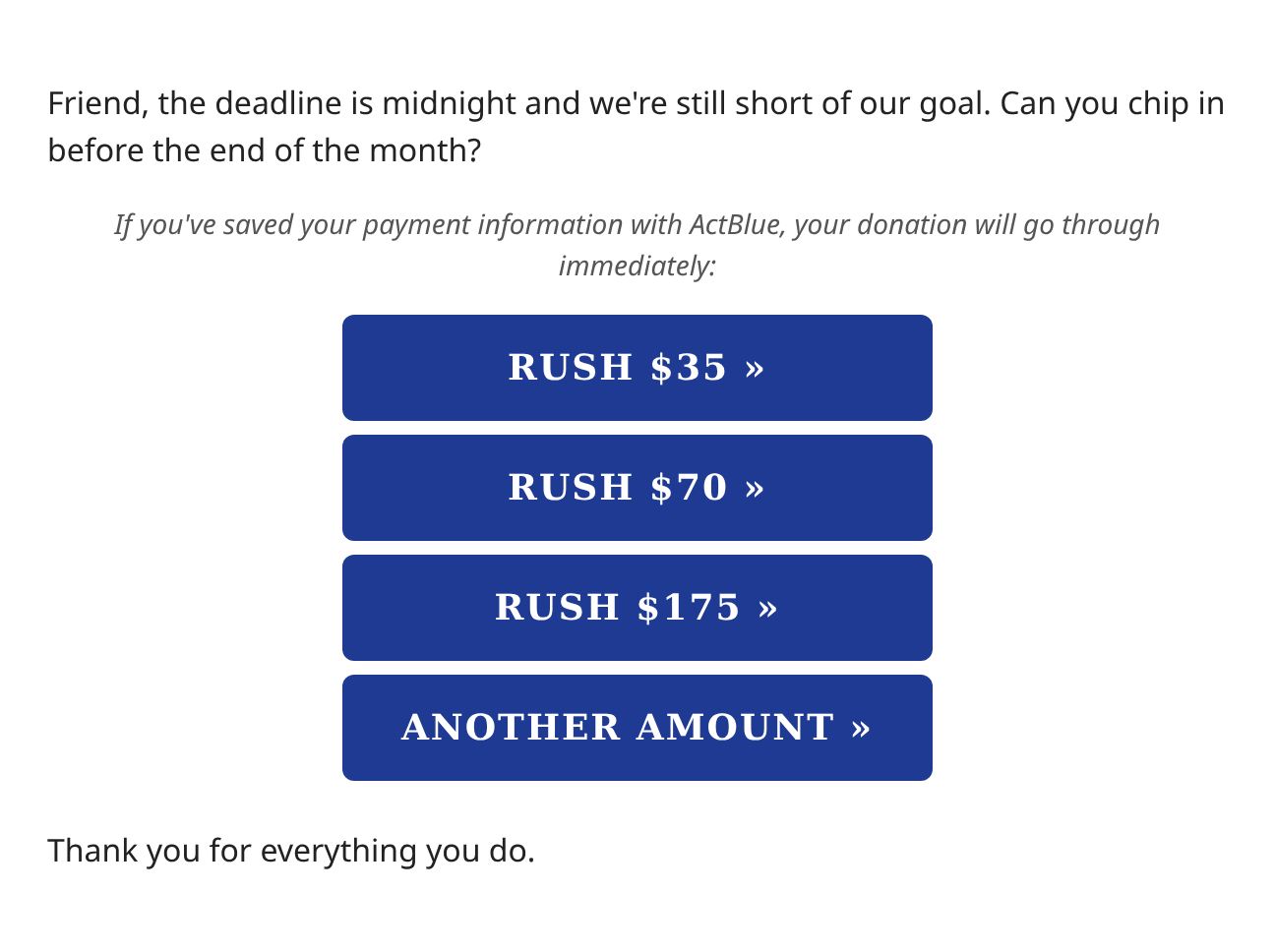
donations|hpc is the recipient’s highest previous contribution (see hpc). It’s 0.00 for someone who has never given, so end each entry with at_least to give them a sensible ask instead of $0.00. floatformat:"-2" drops the .00 from whole-dollar amounts, so the button reads $35 rather than $35.00, but keeps the cents on an amount like $35.50. The filter needs double quotes, which is why the list is in single quotes. If your old mailing set up its own variable, say with {% with donations.highest_previous_all as hpc %}, you can keep that {% with %} around the new tag and write amounts="hpc|at_least:5,..." as before.
The disclaimer. Delete your hand-written disclaimer paragraph; the group adds its own when express lane or one-click is on. On an ActionKit page it uses the exact language NGP VAN Payments requires on one-click links, with a recurring version for recurring=1, so if you replace or hide it on those pages, make sure your mailing still says it. If your wording differs from ours, put it in the ak_payment_button_disclaimer wrapper field so every mailing uses it. For a single mailing, pass disclaimer="..." on the tag, or disclaimer="" to leave the line out. To leave it out of every mailing using a wrapper, set ak_payment_button_hide_disclaimer to Hide the disclaimer.
Lone buttons. A single call to action, outside a ladder, is a payment_button:
{% payment_button ab_page="campaign-form" amount=50 express_lane=1 text="Chip in $50 now »" %}
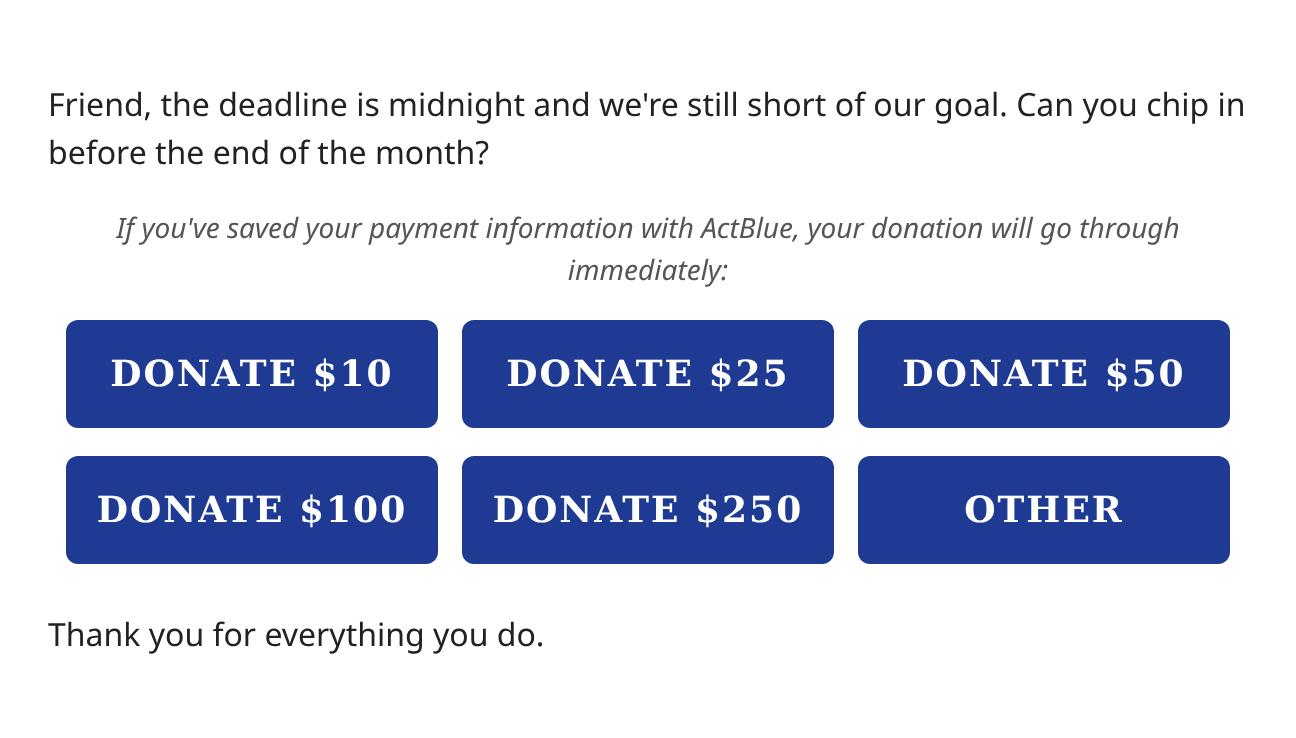
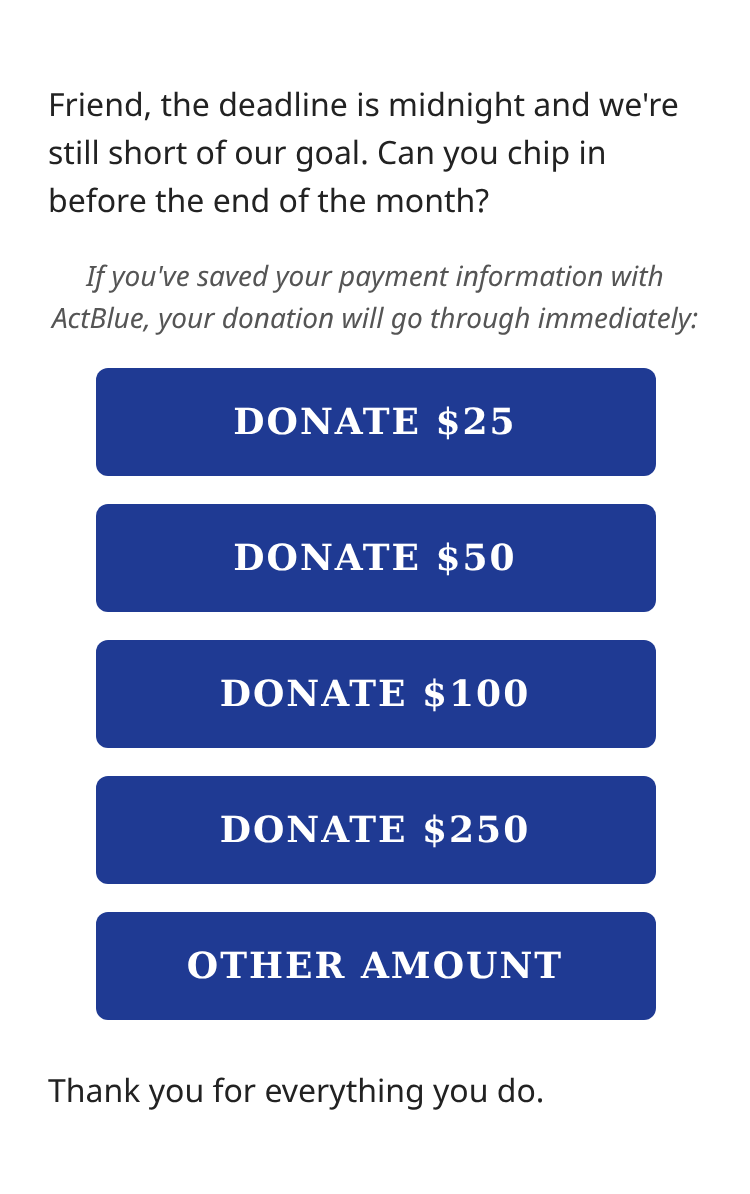
Choosing a layout
cols sets how many buttons sit on a row, from 1 to 4; the default is 2. On a phone the grid reflows by itself — two columns stack to one, three and four fall back to two — so there’s nothing extra to write for mobile.
Before you send
Send a proof to the email clients your list uses most — at least Gmail, Apple Mail, and Outlook — and look at it on a phone.
Check the plain text version: each button should be a
label: URLline, with the disclaimer above them when express lane is on.Click through a button or two from the proof to make sure the amount, express lane, and source land on the donation form.
If you set both
refcodeandrefcode2, ActionKit has no free slot for the recipient’s akid, and ActBlue donations won’t be attributed back to recipients. The composer warns you when this happens.Each button is tracked as its own link, so your click report shows which asks drew clicks.